The problem
I wanted to describe a part loosely, get a few designs, pin and draw on the 3D model where it’s wrong, set the main dimensions and print. It’s version two of PrintBuddy. This time I wanted a dedicated Mac app that runs on my Claude subscription, so Claude Code replaced Gemini, and build123d in Python replaced OpenSCAD in the browser.
Who did what
I approve each phase and every architecture change. I asked for the later phases and the Mac app, and my feedback replaced the lasso tool with a single draw tool. Claude Code is the implementer, and inside the app it’s also the design agent: it reads my pins and drawings and edits the part’s build123d script.
Constraints
- Local and free: no cloud hosting and no paid API calls. Claude Code, on my existing subscription, is the only AI.
- A rendering budget for a MacBook Air M3: no shadows, no post-processing, and a frame is drawn only when something changes.
- Part dimensions come from official datasheets, never from memory.
- A design is done only when validation passes.
The trade-off
Using Claude Code as the app’s AI means no API bill, but the app only runs where Claude Code is installed. The backend starts it headless with a fixed list of allowed tools. Before anything was built around that, the plan set a kill criterion: if headless Claude Code couldn’t use the CAD tools without permission prompts, I’d drop the app and keep working in the terminal. It passed on the first headless run.
Outcome
- Installed and in use on my Mac. Nothing printed yet: the first test slice is waiting for me at the printer.
- The Raspberry Pi 5 case model matches the official drawing to within 0.2 mm on 4 holes and 7 port centres (worst 0.10 mm).
- On the Pi 5 case, moving a dimension slider updates the 3D view in 1.7 to 1.9 seconds. The demo’s sliders are locked, because they rebuild the model in Python. When idle, the viewer draws no frames.
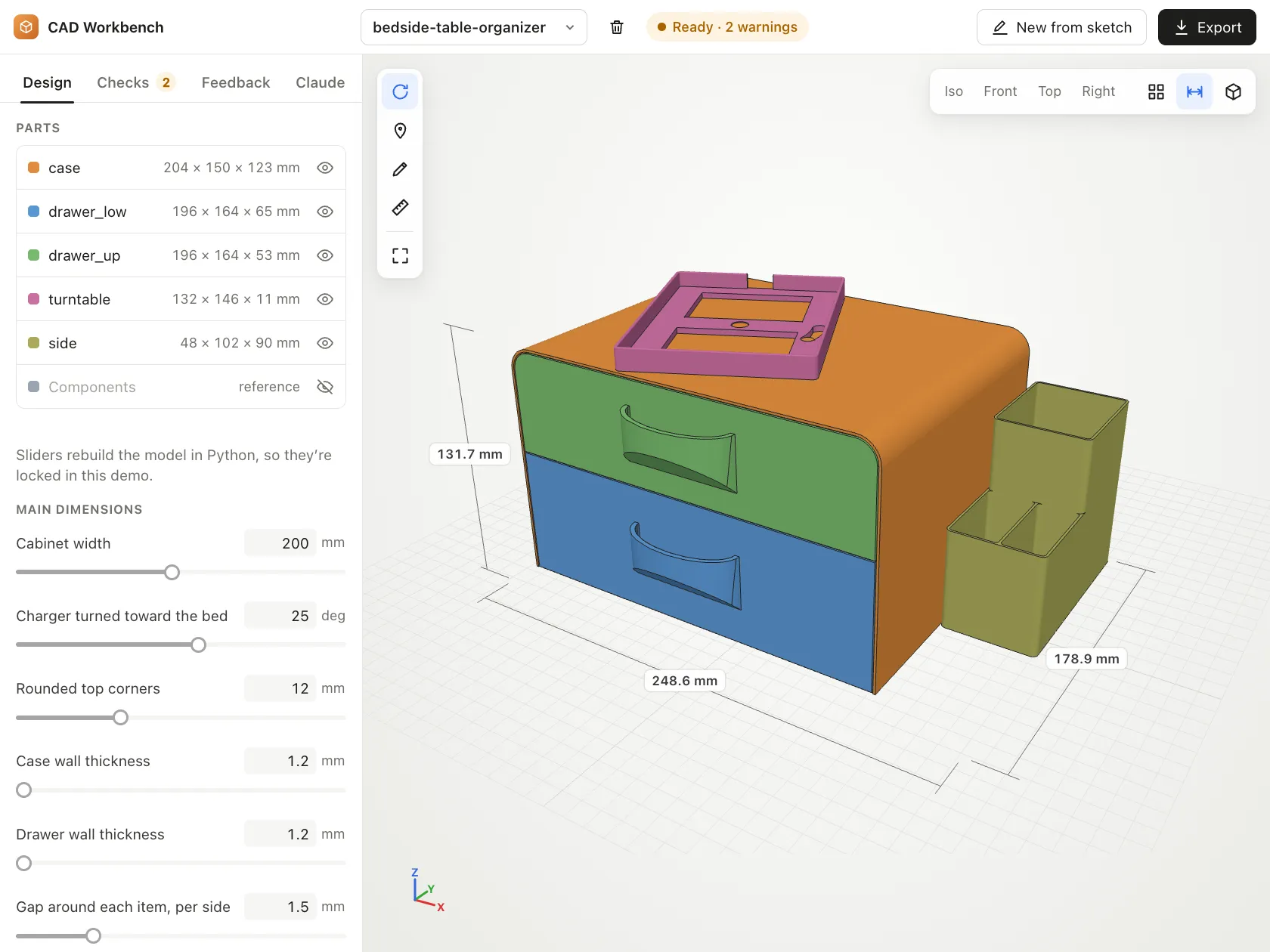
- The live demo shows a later design: a bedside organizer with two drawers and a swivel charger nest. It passes every check, with two overhang warnings.
How it was built
- A
cadMCP server, written with only the Python standard library, gives Claude build, validate, render and export tools. - Skills:
new-design(a brief first, then 2 or 3 concepts),cad-loop,component-from-datasheet, andbuild123d, whoseverify.pyre-checks the skill’s notes against the installed library. - Two Sonnet agents:
datasheet-readerwrites MISSING rather than guess a dimension, andprint-reviewerranks up to 15 print and fit risks. browser.mjsdrives headless Chrome so Claude can look at the real viewer and click through each issue.