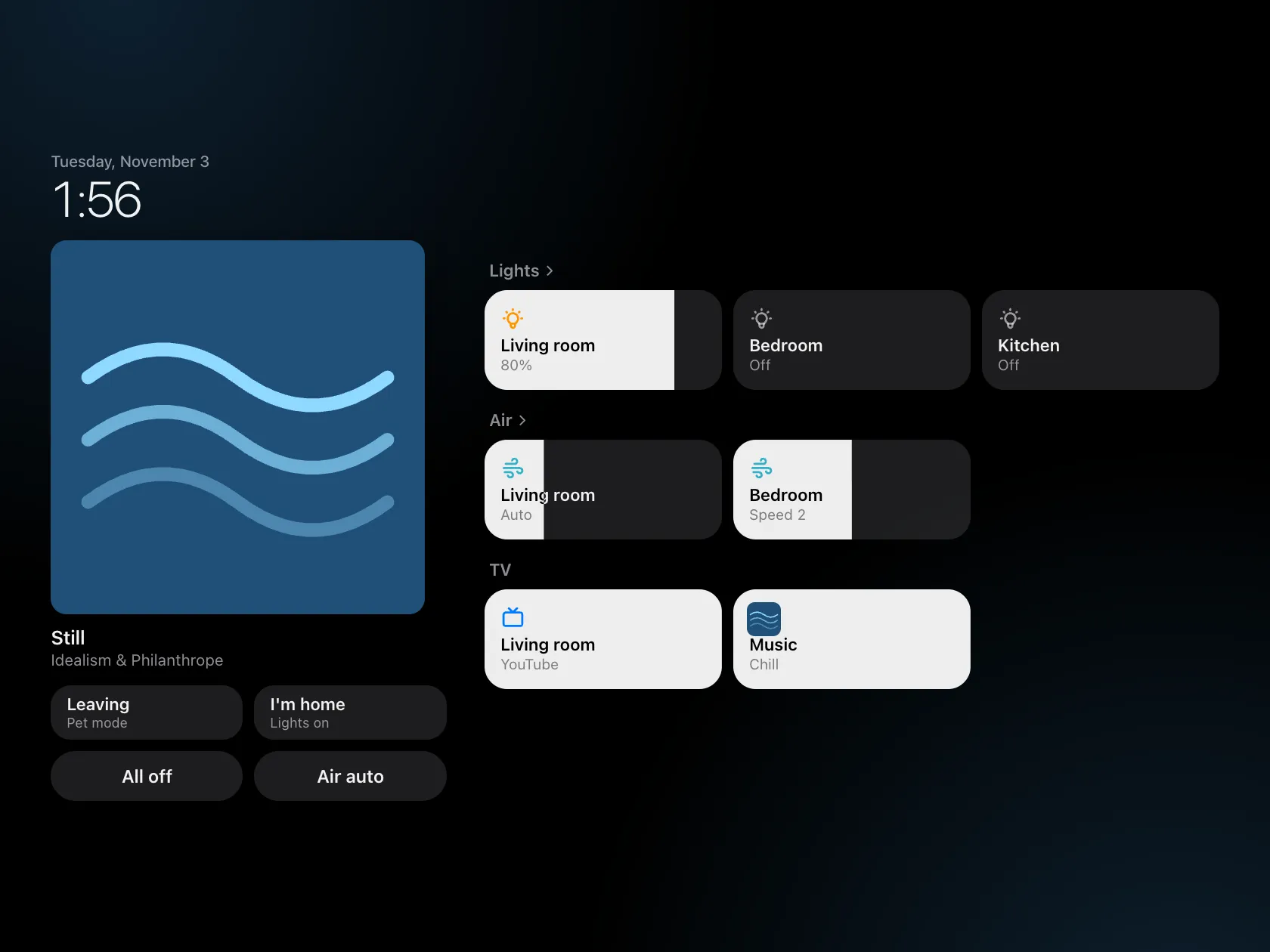
The problem
Slow TVs with ad-filled home screens, and lights, purifiers and TVs that each need their own app. Home hub has two parts that work alone or together. Home Lite is a small Android TV launcher that also strips out bloat in a way that can be undone. The Raspberry Pi hub gives phones, a tablet and the Pi’s touchscreen one control screen.
Who did what
I set the rules it follows: every TV change can be undone, my own settings stay out of the repo, and nothing is reachable from the internet. Claude Code wrote the launcher, the TV scripts and the hub.
Constraints
- Every change to a TV is reversible and logged.
- Personal settings live in a folder outside the repo.
- The hub only accepts connections from the Pi itself.
tailscale servepasses phone and tablet traffic through to it, and nothing is opened on the router. - The launcher is plain Java with no libraries and no Gradle.
The trade-off
Replacing the TV’s home screen means giving up Google’s search, because that search ships with Google’s launcher. So Home Lite has its own search, which shows where to stream a title.
Outcome
- In use at home. The launcher ships as a prebuilt APK, and the Pi has an install script.
- Home Lite builds to an 88 KB APK.
- Four test files cover the hub, the purifier control and the TV scripts, and run after every edit.
- The hub has a
?demomode that fakes the lights, TVs and purifiers for previews.
How it was built
A light setup: no CLAUDE.md and no agents. The one Claude Code file is .claude/launch.json, with preview servers for the hub page. One of them serves the previous version next to the new one, for a before-and-after check. The checks Claude runs after each edit are listed in docs/PI.md.